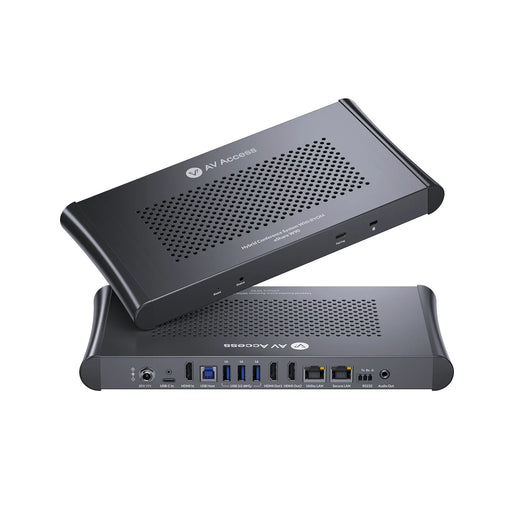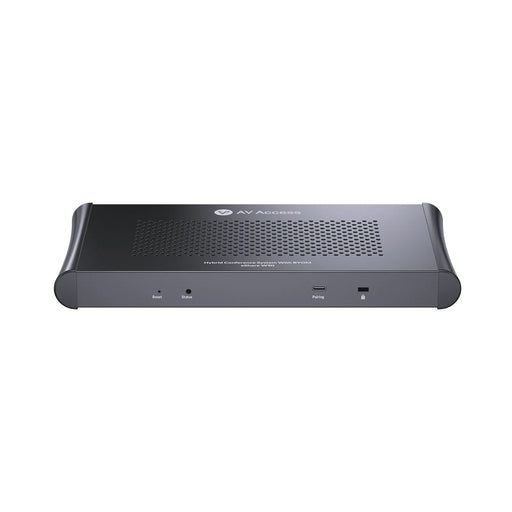


Wireless Conferencing Device for Hybrid Meetings | Cadenceberge Model CAD-900P
Seamless One-Click Wireless Collaboration for Teams, Huddle Rooms, and Boardrooms
Buy the wireless conferencing device for hybrid meetings. Enjoy cable-free collaboration, wireless screen sharing, and easy integration with Teams & Zoom.
Download full Range Catalogue - Click here
Download Product Catalogue -click here
Download Installation Guide -Click Here
Product Solution Guide Download- Click here
Note : for Latest firmware upgrade: Call or Whatsapp on +91-9820528804 OR Email meraj@cadenceberge.com
MODEL: CAD-900P
Seamless wireless conferencing for hybrid meetings in just one click
Effective, inclusive collaboration no matter the location
Cadenceberge wireless video conferencing solutions for enhanced, effortless hybrid collaboration
Wireless Conferencing Device for Hybrid Meetings
CAD-900P makes hybrid meetings faster and clearer by eliminating cables, adapters, and setup delays — whether your team uses Zoom, Teams, or Meet. This wireless conferencing device is designed for hybrid meetings, allowing teams to collaborate without cables. Perfect for offices, conference rooms, schools, and remote work setups.
➤ Wireless screen sharing
➤ No cables needed
➤ Works with Zoom, Teams & Google Meet
➤ Perfect for hybrid collaboration
How Wireless Conferencing Works
-
Walk into room
-
Connect wirelessly
-
Share screen instantly
-
Supports multiple presenters
-
Secure encrypted transmission
About this item:
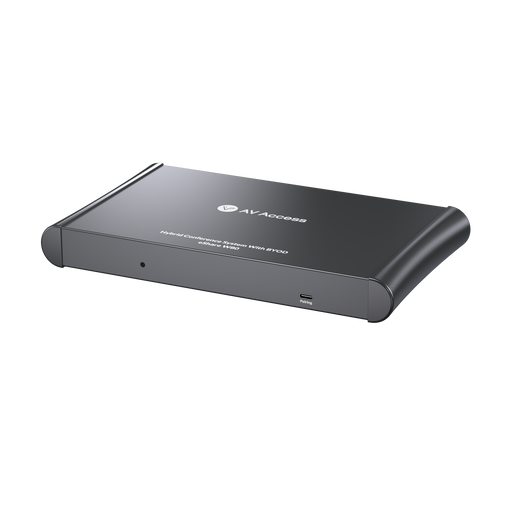
-Cadenceberge CAD-900P is a meeting room system that supports wireless conferencing. It features different ways of screen sharing/screen mirroring and holding a hybrid meeting wirelessly. It supports up to 4K@60hz and Supports 1-9 users multi-screen display at the same time (any combination of mobile phones, computers or other devices)
-BOOST COLLABORATION — can be used stand-alone or in combination with your existing meeting room. It empowers hybrid meetings in existing Microsoft Teams, Zoom or Webex conference rooms with simple, one-click wireless screen sharing.
-EASILY SHARE CONTENT — In seconds, anyone can share content wirelessly to the central room display with our one-click meeting experience. support 1-9 users can share side by side in full HD on screen. No cables, no software to download, no training needed.
-INTERACTIVE FEATURES — Benefit from features such as local view of the room display, decide what you share (either a full screen or a single window), annotation, blackboarding & touch back support that allows users to control the touch screen in the room.
-HDMI input -enables higher quality content sharing
-100% secure, encrypted and cloud managed
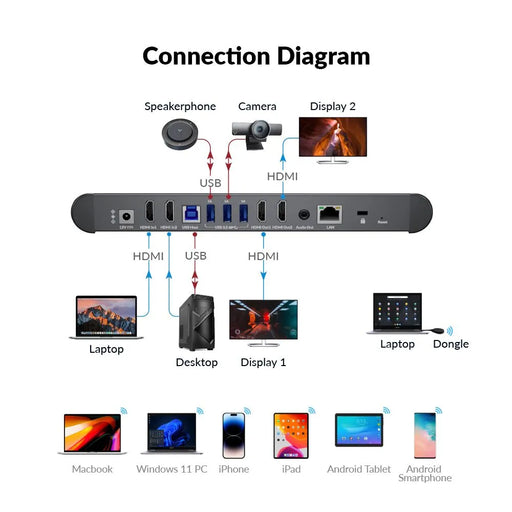
-Bring-Your-Own-Device Conference System - Wirelessly Collaborate in Meeting Rooms Share Screen in Windows or Android/mac/iOS/WIN/ Control via Button or App Tablets, Laptops, Mobile Devices Enhanced Security,
Wireless Conferencing Device for Hybrid Meetings
The ScreenBeam Wireless Conferencing Device is designed to make hybrid meetings simple, fast, and fully cable-free. It connects instantly to displays, projectors, and meeting room systems — allowing both in-room and remote participants to collaborate seamlessly.
Built for offices, enterprises, classrooms, and conference rooms, this wireless conferencing device for hybrid meetings delivers professional-grade performance without the need for dongles, apps, or adapters.
Use Case Scenarios
-
Small huddle spaces
-
Mid-size meeting rooms
-
Large conference rooms
-
Training & collaboration spaces
❓ FAQs
1. What is a wireless conferencing device?
A wireless conferencing device allows users to share screens, presentations, and collaborate in meetings without cables, adapters, or complex setups. It enables seamless content sharing from laptops, tablets, or smartphones to a meeting room display, making it ideal for hybrid meetings.
2. How does the CAD-900P wireless conferencing device work?
The CAD-900P works on a plug-and-play wireless sharing system. Users simply connect wirelessly from their device and start sharing content instantly. No special software or dongles are required, reducing setup time and technical issues during meetings.
3. Is this wireless conferencing device suitable for hybrid meetings?
Yes. The CAD-900P is specifically designed for hybrid collaboration, supporting in-room participants and remote attendees simultaneously. It integrates smoothly with popular video conferencing platforms like Zoom, Microsoft Teams, and Google Meet.
4. Does the CAD-900P require any software installation?
No. The device does not require any mandatory software installation. It supports native wireless technologies such as screen casting and browser-based sharing, making it user-friendly for guests and employees alike.
5. What types of meeting rooms can use this device?
The CAD-900P is ideal for:
-
Huddle rooms
-
Small to medium conference rooms
-
Boardrooms
-
Training rooms
-
Hybrid collaboration spaces
Its flexibility makes it suitable for most modern workplace environments.
6. How many users can connect at the same time?
Multiple users can connect to the CAD-900P during a meeting. Presenters can switch seamlessly, allowing smooth collaboration without interruptions.
7. Is the wireless connection secure?
Yes. The CAD-900P uses secure wireless communication protocols to ensure data privacy and protection. This makes it safe for corporate, enterprise, and professional environments where security is critical.
8. Does it support 4K video and high-quality presentations?
Yes. The device supports high-resolution video output, ensuring clear visuals, sharp text, and smooth playback during presentations and video conferencing sessions.
9. Which devices are compatible with the CAD-900P?
The CAD-900P supports:
-
Windows laptops
-
macOS devices
-
Smartphones and tablets
-
Chrome browsers
This cross-platform compatibility ensures easy access for all participants.
10. What comes in the box with the CAD-900P?
The package includes:
-
CAD-900P wireless conferencing unit
-
Power adapter
-
User guide
-
Necessary cables for initial setup
Everything required to get started quickly is included.
11. Is this device suitable for corporate and enterprise use?
Absolutely. The CAD-900P is built for professional and enterprise environments, offering reliability, ease of use, and compatibility with existing AV and UC systems.
12. Why choose CAD-900P over other wireless conferencing devices?
CAD-900P offers:
-
Easy one-click wireless sharing
-
No dongles or adapters
-
Strong hybrid meeting support
-
Secure and stable performance
-
Cost-effective alternative to premium brands
It delivers enterprise-grade collaboration without unnecessary complexity.